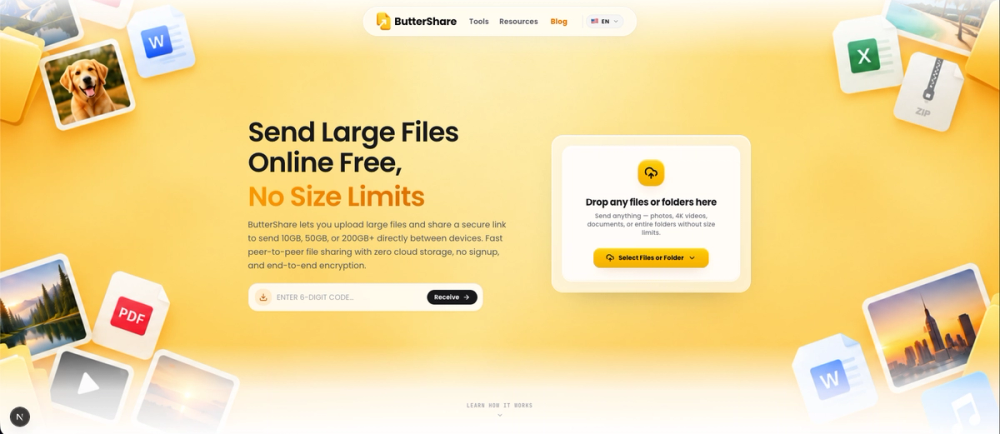
ButterShare is a secure, browser-based peer-to-peer file transfer tool designed for sending large files and folders between devices without requiring cloud storage, account registration, or software installation.
It uses encrypted WebRTC connections to transfer files from the sender to the receiver, providing a simple and privacy-focused alternative to traditional cloud-based file-sharing services.
Key Features
-
Large File Support: Send large videos, project files, archives, documents, and complete folders directly from your browser.
-
Peer-to-Peer Transfers: ButterShare uses WebRTC to connect the sender and receiver. When network conditions allow, files travel through a direct peer-to-peer connection between the devices.
-
No Permanent Cloud Storage: Files are not uploaded to a ButterShare cloud drive or stored for later download. If WebRTC relay infrastructure is required, it transports encrypted traffic during the active transfer rather than permanently storing your files.
-
Encrypted Transfers: WebRTC provides encrypted communication between connected devices, helping protect file data while it is being transferred.
-
No Signup Required: Start a transfer without creating an account, entering payment details, or going through an onboarding process.
-
Share Links & QR Codes: Create a transfer session and send the generated link to the recipient or scan the QR code to connect another device quickly.
-
Cross-Platform: Works through modern browsers across Windows, macOS, Linux, Android, iOS, and ChromeOS.
-
No App Installation: Both sender and receiver can use ButterShare directly from their web browsers.
-
Disk-Based Streaming: ButterShare can use browser storage technologies such as OPFS to handle large transfers without requiring the entire file to remain in memory.
-
Resumable Transfers: Interrupted transfers can resume from saved progress instead of restarting from the beginning.
-
Folder Transfers: Send complete folders while preserving their original directory structure.
How It Works
- Select Files: Choose the files or folders you want to send.
- Share: ButterShare generates a transfer link and QR code that you can send to the recipient.
- Connect: The recipient opens the link in their browser.
- Transfer: ButterShare establishes an encrypted WebRTC connection and begins transferring the files between the devices.
Transfer performance depends on the internet connections of both devices, browser and device performance, network conditions, and whether a direct peer-to-peer connection can be established.
Use Cases
-
Video Editors & Filmmakers: Transfer raw footage, exports, project files, and other large media assets to collaborators.
-
Game Developers & 3D Artists: Share game builds, 3D models, textures, renders, animation files, and project folders.
-
Developers: Transfer development builds, database exports, datasets, archives, backups, and other large technical files.
-
Music Producers: Share audio projects, masters, stems, recordings, and production assets.
-
Remote Teams: Send project files to teammates, clients, and contractors without requiring everyone to create an account.
-
Personal Transfers: Move large files between your computer, phone, tablet, or other devices without uploading them to a cloud drive first.
Privacy-Focused File Sharing
ButterShare is built around transferring files rather than storing them.
Your files remain on the sender's device until the transfer begins and are delivered to the receiver during the active session. This reduces reliance on third-party cloud storage while keeping the experience simple and cross-platform.
ButterShare provides a secure and convenient way to transfer large files directly from your browser — no signup, no permanent cloud storage, and no software installation required.