
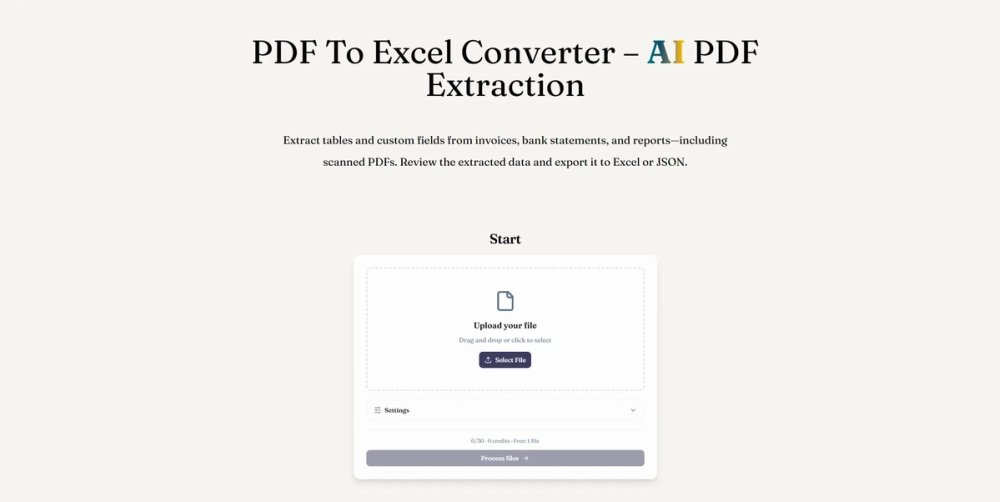
ReadyData offers an advanced AI-powered PDF to Excel converter, designed to streamline data extraction from both digital and scanned PDF documents. This tool efficiently transforms complex PDF data, including tables and custom fields, into editable Excel spreadsheets or JSON formats, making it ideal for processing invoices, bank statements, receipts, and various reports.
The conversion process is straightforward and user-friendly, involving three key steps. First, users upload their PDF documents, whether they are digital files or scanned images. The platform supports a wide range of document types, ensuring versatility for different business needs. Second, users define the specific data they wish to extract. This includes selecting entire tables or describing custom fields like invoice numbers, dates, and amounts. A significant feature is the ability to save these field preferences as reusable templates, which greatly enhances efficiency for recurring document processing. Finally, before exporting, users can review the extracted data, comparing it against the original PDF to ensure accuracy. Any necessary corrections can be made directly within the platform or after downloading the XLSX workbook.
Traditional methods of extracting data from PDFs often lead to significant challenges, such as unselectable scanned tables requiring manual retyping or OCR, broken rows and columns during basic copy-pasting, and the inherent scalability issues and error risks associated with manual data entry. ReadyData addresses these pain points by leveraging AI to intelligently read document content and structure, organizing extracted values into spreadsheet-ready records.
Key features and benefits of ReadyData include:
- AI-Powered Extraction: Accurately extracts rows, column headers, and line items from PDF tables, including those in scanned documents, using advanced AI and OCR technology.
- Custom Field Definition: Users can describe and extract specific data points, saving these definitions as templates for consistent and automated processing of similar documents.
- Batch Processing: Efficiently handles multiple PDFs, allowing users to process a set of documents and download all results simultaneously, with individual review options for each document.
- Editable Excel Output: Provides a downloadable XLSX workbook that is fully editable in Excel, enabling users to check values, convert numeric columns, and perform calculations without extensive cleanup.
- Organized Data Structure: Maintains the integrity of tables, keeping headers and related values together, which eliminates the common issues of merged cells or shifted columns.
- Pre-Export Review: Offers a crucial step for users to compare extracted data with the original PDF, ensuring data accuracy before final export.
- Template Reusability: Designed for repeated workflows, allowing templates to be applied to recurring documents like monthly invoices or quarterly reports, saving considerable time and effort.
- Browser-Based Accessibility: Operates entirely within a web browser, eliminating the need for software installation and making it accessible across various operating systems, including Windows, macOS, and mobile devices.
- Flexible Export Options: Supports export to both Excel (XLSX) for detailed analysis and review, and JSON for integration with databases, automation scripts, and other application workflows.
ReadyData empowers businesses and individuals to transform unstructured PDF data into usable, structured spreadsheets, significantly reducing manual data entry, minimizing errors, and accelerating data analysis workflows.