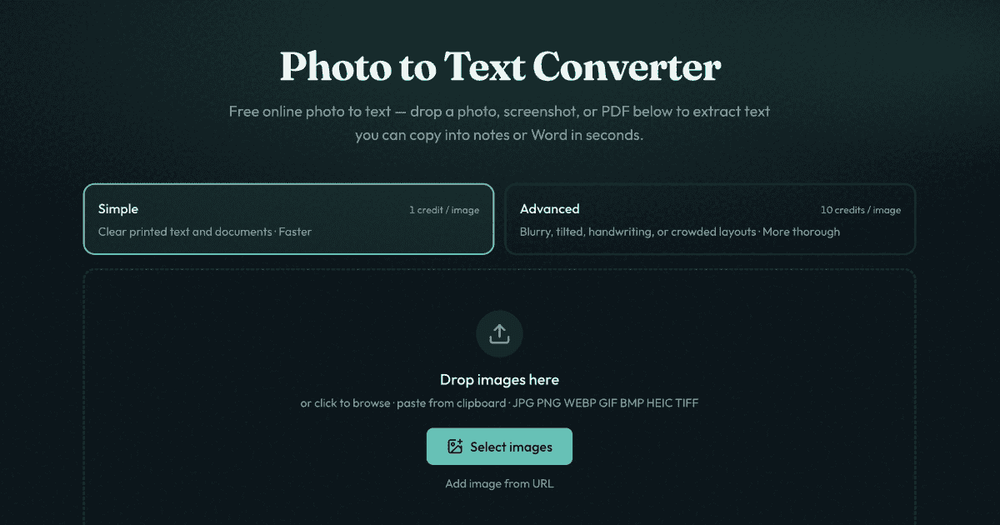
Photo to Text is a free online converter that leverages Optical Character Recognition (OCR) technology to effortlessly extract text from various image and document formats. This powerful tool allows users to convert photos, screenshots, and PDF files into editable text, which can then be copied into notes, Microsoft Word, or spreadsheet applications like Excel within seconds. It's designed to minimize manual retyping, saving significant time and effort for individuals and businesses alike.
The platform offers two distinct OCR modes to cater to different needs. The "Simple" mode is optimized for clear printed text and standard documents, providing fast and efficient conversion at a lower credit cost (1 credit per page). For more challenging scenarios, the "Advanced" mode delivers higher accuracy, capable of handling blurry photos, tilted pages, handwriting, crowded layouts, and complex tables. This mode is ideal when preserving styles, headings, and table structures is crucial, albeit at a higher credit cost (10 credits per page).
Key features and use cases include:
- Extract Text Without Retyping: Quickly convert any photo to text, perfect for screenshots, phone camera images, and everyday documents.
- Seamless Integration with Office Tools: Easily copy extracted text into Word, Google Docs, or email. Dedicated converters are available for direct conversion of JPG to Word (.docx) and JPG to Excel (XLSX, CSV, TSV), allowing users to maintain formatting or extract plain text as needed.
- Table Conversion for Spreadsheets: Transform receipts, screenshot grids, and paper tables into editable Excel spreadsheets, eliminating the tedious process of manual data entry.
- Broad Format Support: The converter supports a wide array of image and document formats, including JPG, PNG, PDF, WEBP, HEIC, TIFF, and BMP, ensuring versatility for various input types.
- Advanced OCR Models: For layout-aware extraction from complex documents, users can explore and try out specialized OCR models like DeepSeek OCR and GLM OCR, which are designed to preserve document structure.
- Free to Start: The service is accessible without requiring a sign-up, allowing users to begin converting immediately. Credits and subscription plans are available for higher volume usage and access to the Advanced OCR mode.
- Privacy-Focused: The platform emphasizes user privacy, stating that no data is transmitted or stored for guest conversions, and results are not kept as account history. Logged-in users retain full control over their saved results, with unused results automatically cleared after 14 days.
Beyond its core image-to-text functionality, Photo to Text also provides a suite of free PDF tools, including Compress PDF, Rotate PDF, Organize PDF, PDF Text Checker, Merge PDF, and Split PDF, as well as image conversion tools like HEIC to JPG and PDF to JPG. This comprehensive offering makes Photo to Text a versatile solution for various document and image processing needs.