
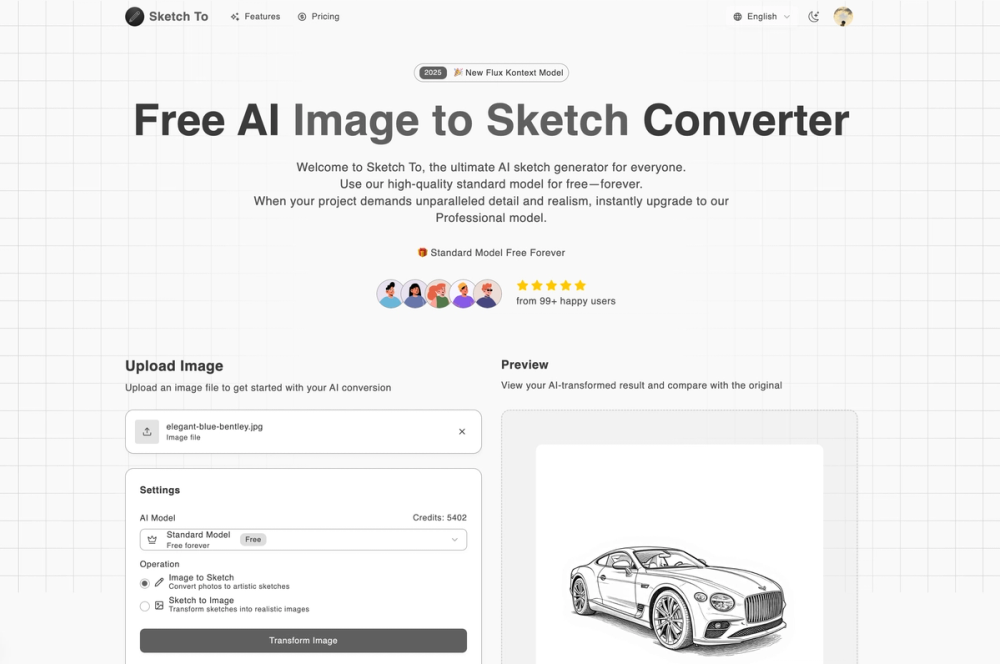
Sketch To is an innovative AI-driven platform designed to transform images into sketches and sketches back into realistic images. It caters to a wide range of users, from hobbyists to professional artists, offering both free and premium models to suit varying needs and project requirements.
Key Features:
- Image to Sketch Conversion: Utilizing advanced AI algorithms, Sketch To accurately converts photographs into detailed pencil sketches. This feature is ideal for artists seeking inspiration, designers creating mockups, or anyone wanting to add an artistic touch to their photos.
- Sketch to Image AI: The platform's Pro model allows users to convert hand-drawn or digital sketches into realistic images. This feature is particularly useful for concept artists, illustrators, and designers who need to visualize their ideas in a photorealistic format.
- Standard and Professional Models: Sketch To offers two distinct AI models. The Standard model provides high-quality conversions suitable for social media, personal projects, and educational purposes. New users receive trial credits to explore this model. The Professional model delivers superior detail, texture, and realism, making it ideal for commercial use and professional projects.
- Instant Processing: The platform's cloud-based infrastructure ensures rapid processing, delivering results in seconds. This allows users to quickly iterate on their designs and experiment with different styles.
- High-Resolution Output: Sketch To allows users to download their creations in high resolution, making them suitable for print and professional use. This ensures that the quality of the final product is not compromised.
- User-Friendly Interface: The platform features an intuitive drag-and-drop interface, making it easy for users of all skill levels to convert their images and sketches. The three-step process simplifies the conversion process: upload, choose style/model, and generate/download.
- Flexible Pricing: Sketch To offers a flexible credit system, allowing users to purchase credits as needed. This eliminates the need for subscriptions and ensures that users only pay for the high-power conversions they require.
Use Cases:
- Artistic Inspiration: Artists can use Sketch To to generate sketches from photos, providing a starting point for paintings, drawings, and other artistic creations.
- Design Mockups: Designers can quickly create mockups of their ideas by converting sketches into realistic images.
- Social Media Content: Users can add an artistic touch to their social media posts by converting photos into sketches.
- Educational Projects: Students can use Sketch To to create sketches for school projects and presentations.
- Commercial Use: Professionals can use the Pro model to create high-quality images for client work and business projects.
Sketch To stands out due to its combination of ease of use, powerful AI algorithms, and flexible pricing. Whether you're a hobbyist or a professional, Sketch To provides the tools you need to transform your images and sketches into stunning works of art.