Video2Jpg — Free In-Browser Video to Image Converter
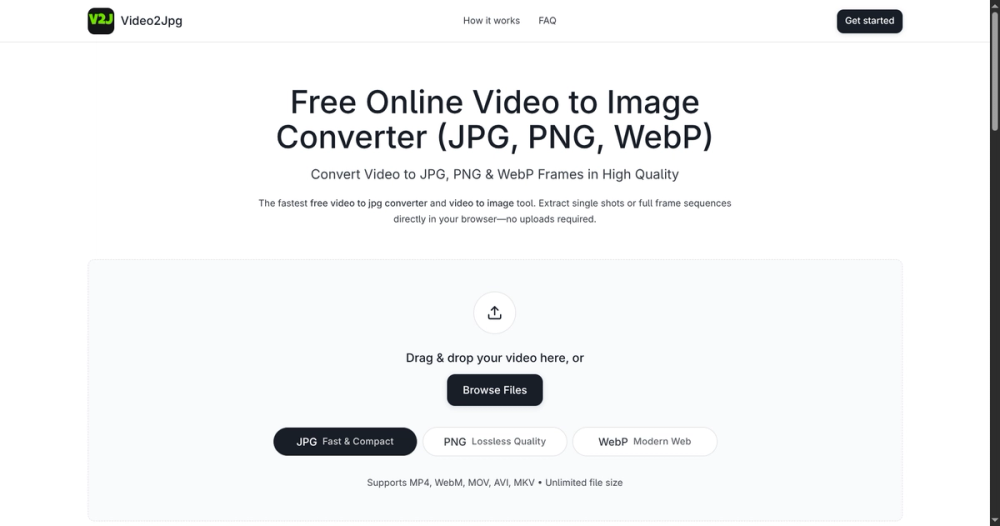
Video2Jpg is a free, private video to image converter that runs entirely in your browser. Extract JPG, PNG, or WebP frames from any video without uploading to a server — unlimited file size, full quality control, and zero privacy risk. Supports MP4, WebM, MOV, AVI, and MKV.
Key Features
- In-Browser Processing: All decoding and exporting happens locally via WebCodecs/Canvas. No server uploads, no file size limits, and your videos never leave your device.
- Flexible Extraction Modes: Pull a single perfect still, export every frame at a set interval (e.g., 1 frame per second), extract a fixed count (e.g., 20 evenly spaced shots), or define a precise time range.
- Multiple Image Formats: Save as JPG (quality adjustable), PNG (lossless), or WebP (modern, compact). Ideal for thumbnails, datasets, storyboards, and documentation.
- Batch Export & ZIP: Download individual frames or grab the entire sequence as a ZIP in one click — no waiting for server-side packaging.
- Optional Watermark & Settings: Add custom text watermarks, control quality/compression, and preview frames before export.
- Wide Format Support: Handles MP4 (H.264/H.265), WebM (VP8/VP9/AV1), MOV, AVI, and MKV — whatever your camera or screen recorder produces.
- Fast & Private: No account required, no tracking, no queues. Processing stays on-device, so even confidential footage remains private.
Use Cases
- Creators making thumbnails, cover art, or social posts from video clips
- Developers building image datasets for ML/CV training
- Teams extracting storyboards, reference frames, or documentation stills
- Students and educators capturing key moments from lectures or recordings
- Anyone needing quick, high-quality stills without installing heavy desktop software
How It Works
- Open video2jpg.com and drop in your video
- Scrub to find moments or set interval/count/range options
- Choose JPG / PNG / WebP and adjust quality
- Preview, then download a single image or ZIP of all frames — all instantly in the browser
Why Video2Jpg
Unlike cloud converters that limit size, add watermarks, or keep copies of your files, Video2Jpg is free, unlimited, and privacy-first. Everything is processed locally with modern browser APIs for speed and security. No backend, no waiting.
Get started at https://video2jpg.com/ — free forever, no signup needed.