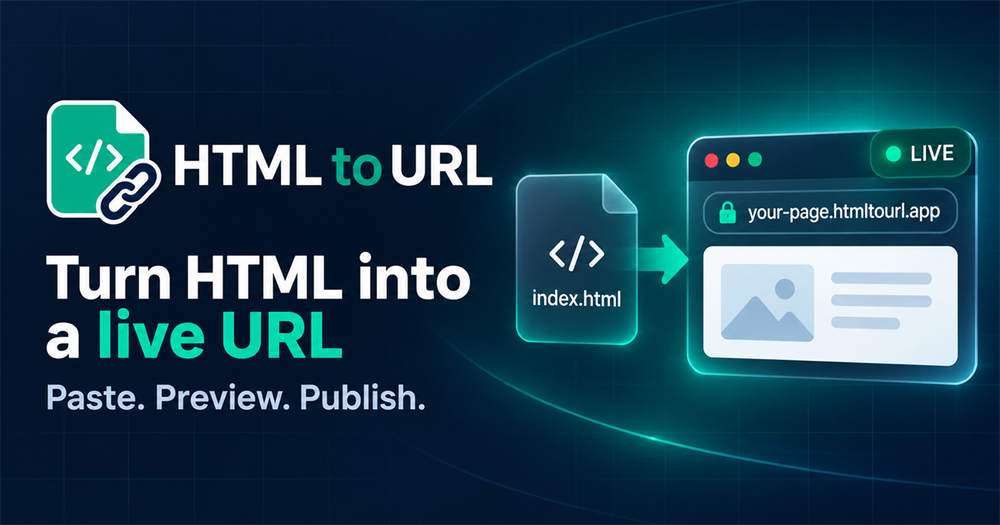
HTML to URL is a powerful and efficient online tool designed to transform raw HTML code or HTML files into shareable, live URLs in seconds. This service is ideal for a wide range of users, from developers and designers to educators and AI builders, who need to quickly publish and share web pages without the complexities of traditional deployment processes.
Key Features:
- Instant HTML to URL Conversion: Easily convert any HTML snippet or full document into a publicly accessible URL. Simply paste your HTML code directly into the editor or upload a
.htmlor.htmfile. This eliminates the need for setting up servers, configuring static hosting, or managing complex build commands, making it perfect for rapid prototyping and quick sharing. - Live Browser Preview: Before publishing, the tool provides a real-time browser preview of your HTML. This crucial feature allows you to immediately check for any layout issues, missing images, broken CSS, or script problems, ensuring your page looks exactly as intended before it goes live.
- Publicly Hosted URLs: Once published, your HTML page is hosted on a live URL, making it effortlessly shareable. You can send this link to clients, teammates, students, or stakeholders for instant review and feedback, streamlining collaboration and communication.
- Designed for AI-Generated HTML: With the rise of AI coding tools like ChatGPT, Claude, Cursor, v0, Bolt, and Lovable, HTML to URL offers a seamless solution for hosting AI-generated HTML outputs. It's the fastest way to turn AI-created web pages into shareable content, facilitating rapid experimentation and demonstration of AI capabilities.
- No Account Required: For quick, one-off needs, you can paste HTML and generate a URL without the hassle of signing up or logging in. This provides immediate access to the tool's core functionality. Free members can also benefit from keeping one editable URL with no fixed expiry, offering more flexibility.
- Noindex Generated Pages by Default: To maintain a clean SEO profile for the main site and prevent unintended indexing of temporary or experimental pages, user-generated HTML pages are delivered with
noindexheaders. This ensures that your shared content remains private unless explicitly intended for public search. - Simple Sharing: The generated URLs can be easily shared across various platforms, including Slack, email, documentation, issue trackers, classrooms, and client messages, simplifying the distribution of web content.
- Supports JavaScript and CSS: The converter fully supports embedded JavaScript and CSS within your HTML, allowing for interactive and styled web pages to be published and viewed correctly.
- Generous File Size Limit: The tool supports HTML files up to 20MB, accommodating a wide range of single-page applications and complex designs.
Use Cases:
HTML to URL is an invaluable resource for:
- Instant Previews: Product designers and developers can quickly generate URLs for component prototypes, landing page drafts, and product mockups, enabling browser-based feedback without deployment delays.
- Client Demos: Founders and agencies can provide quick client previews, avoiding lengthy static hosting workflows that might slow down conversations and approval processes.
- Educational Projects: Course instructors can have students submit browser-ready page URLs instead of local files, simplifying grading and review.
- QA and Testing: QA teams can verify markup, visual states, and generated pages with a single, accessible URL, streamlining the testing process.
- Rapid Prototyping: Frontend engineers and AI builders can turn experimental HTML or AI-generated code into live previews instantly, accelerating development cycles.
In essence, HTML to URL bridges the gap between a local HTML file and a full production deployment, offering a fast, simple, and efficient way to share web content.